
Free Excel resource
Stop losing audit actions between catch-up meetings
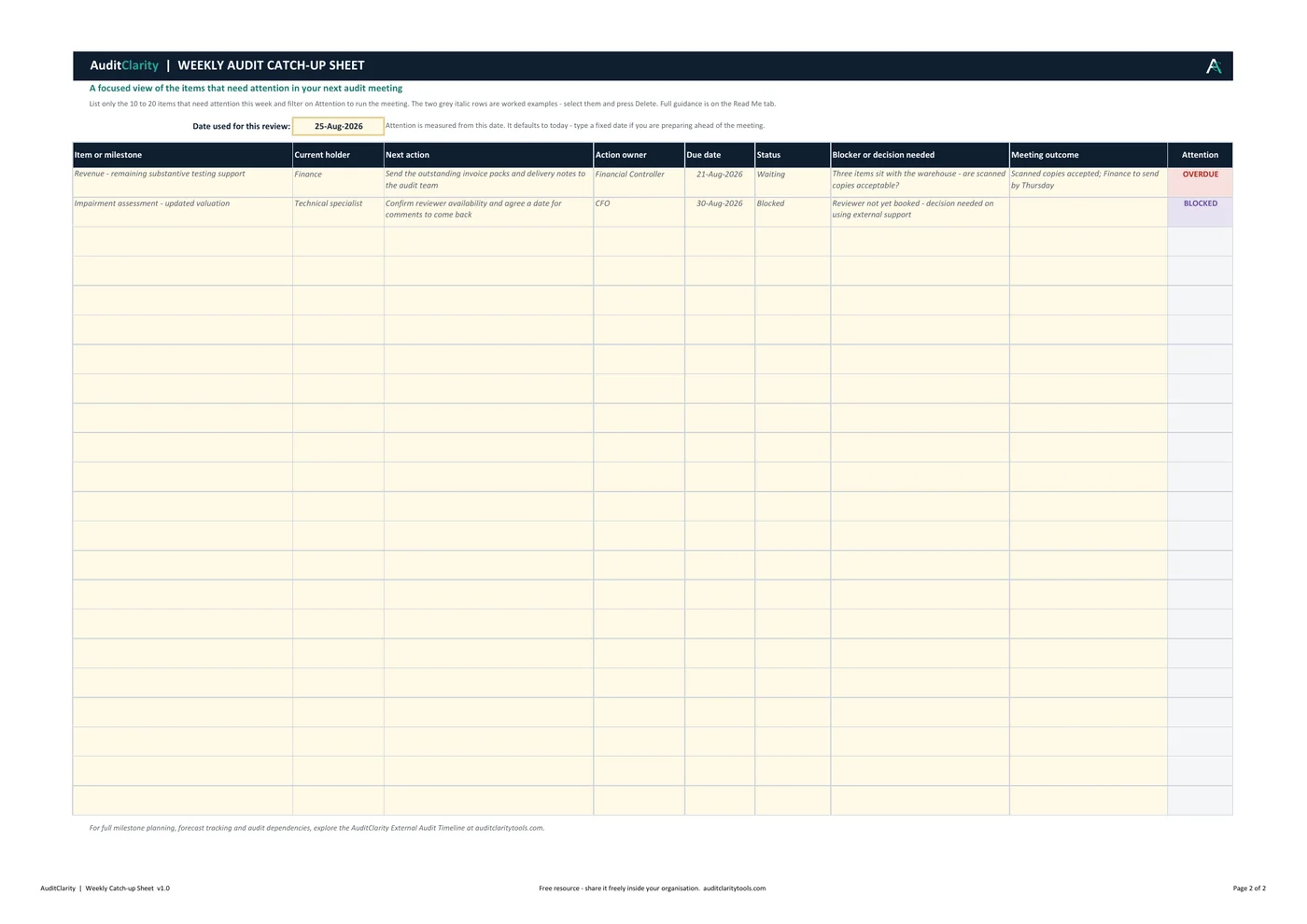
Record what was discussed, who currently holds each item, what happens next and what was agreed. Unresolved items stay in the same row and roll into the next meeting.
What the sheet solves
A shared record of what the meeting actually decided
It is designed for the familiar problem where an issue is discussed, an action is agreed and nobody records the outcome. At the next meeting, the same item has to be reconstructed from memory.
- ✓List only the 10 to 20 items that need attention
- ✓Record the current holder, next action and action owner
- ✓Capture the blocker or decision needed and meeting outcome
- ✓Flag overdue, due soon, blocked, on-track and complete items
- ✓Keep unresolved items in the same row for the next meeting
Built-in guidance
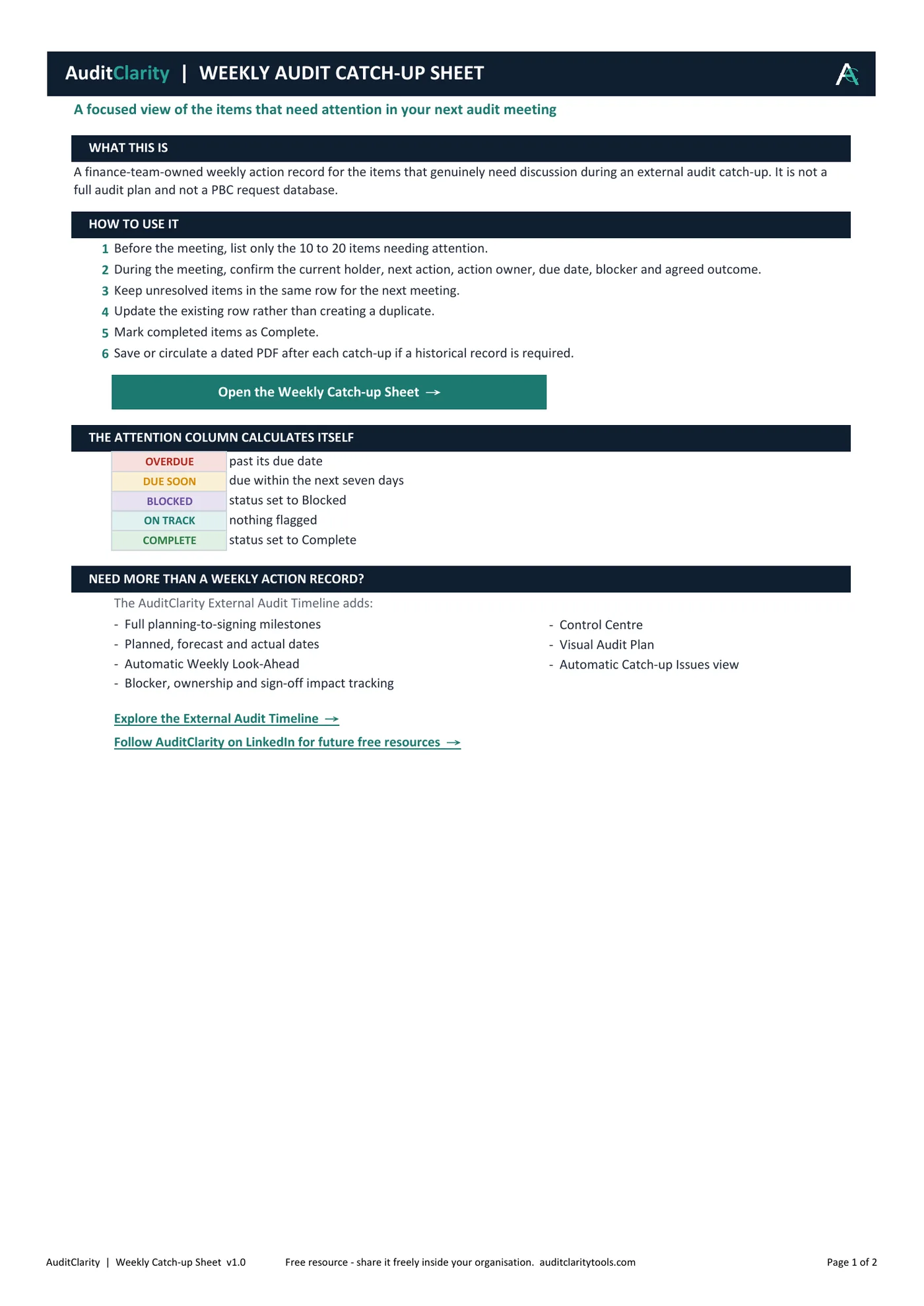
Open the workbook and know where to start
The first tab explains the six-step meeting workflow, the automatic attention statuses and when the paid External Audit Timeline may be more appropriate.
This free sheet is a focused weekly action record. It is not a full audit plan or a detailed PBC request database.
Need full milestone control?
Move from weekly actions to a complete audit timeline
The External Audit Timeline adds planned, forecast and actual dates, milestones, dependencies, review windows, the Control Centre and automatic weekly management views.